Orrery
Song timeline for AUv3 hosts
Arrange, record and perform whole songs inside your AUv3 host: a Timeline, a clip Matrix and recording plugins that share one song.
Why Orrery
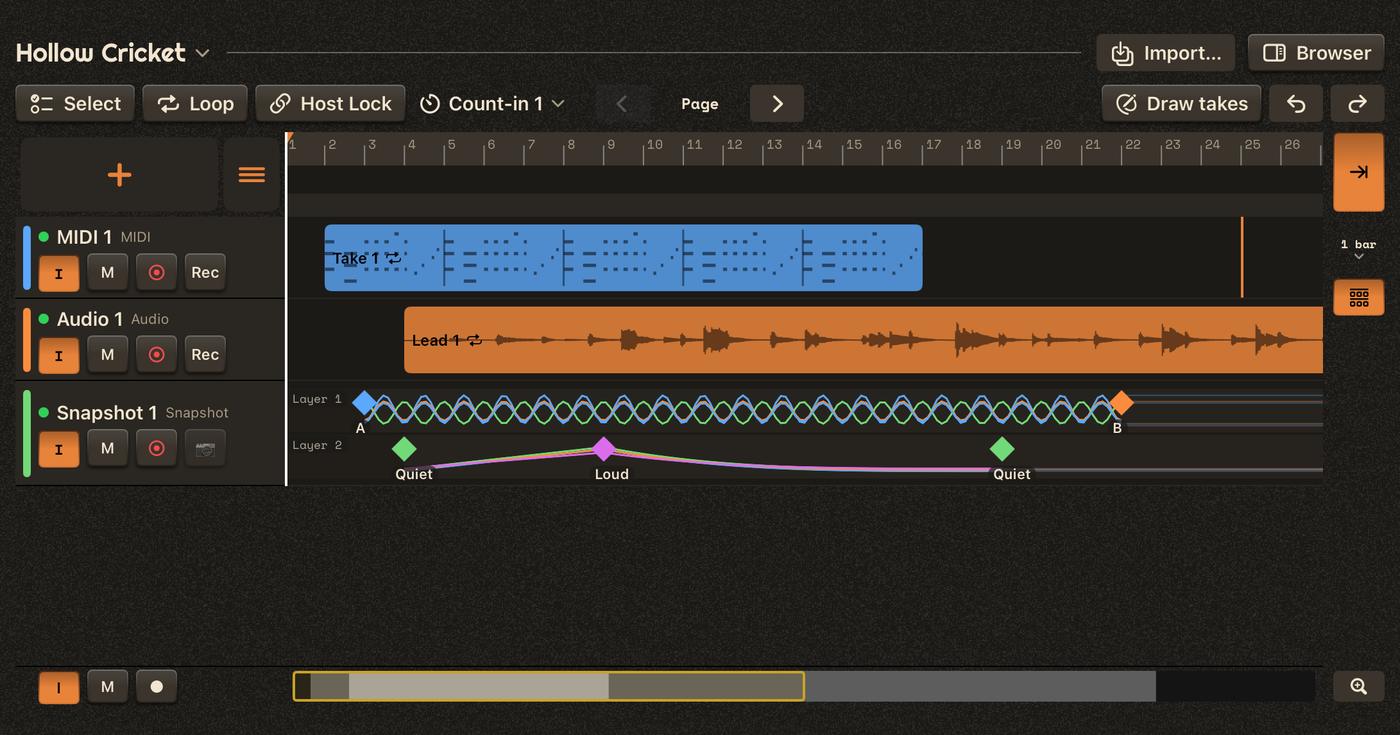
Orrery is for people who love the freedom of a modular host like AUM — any synth, any effect, routed and mixed exactly the way they like — but who have found it frustrating to take an idea all the way to a finished song there. The sounds were never the problem; holding a whole arrangement together across a handful of separate sequencers, loopers and recorders was.
Orrery lets you build a song from the first idea to the last bar without compromise and without complication, and without giving up the mixer you like or the sounds you have already shaped. One song, shared by every plugin, from the arrangement to the live grid to the recordings.
Because the song lives apart from the audio mix, Orrery also opens up ways of working a traditional DAW can't offer. The set of instruments in your session can play an entirely new song with a few taps; the same song can be played by a different set of instruments. Your session becomes an orchestra, and songs become scores you put in front of it.
Seven plugins, one song



Load a plugin, get a track
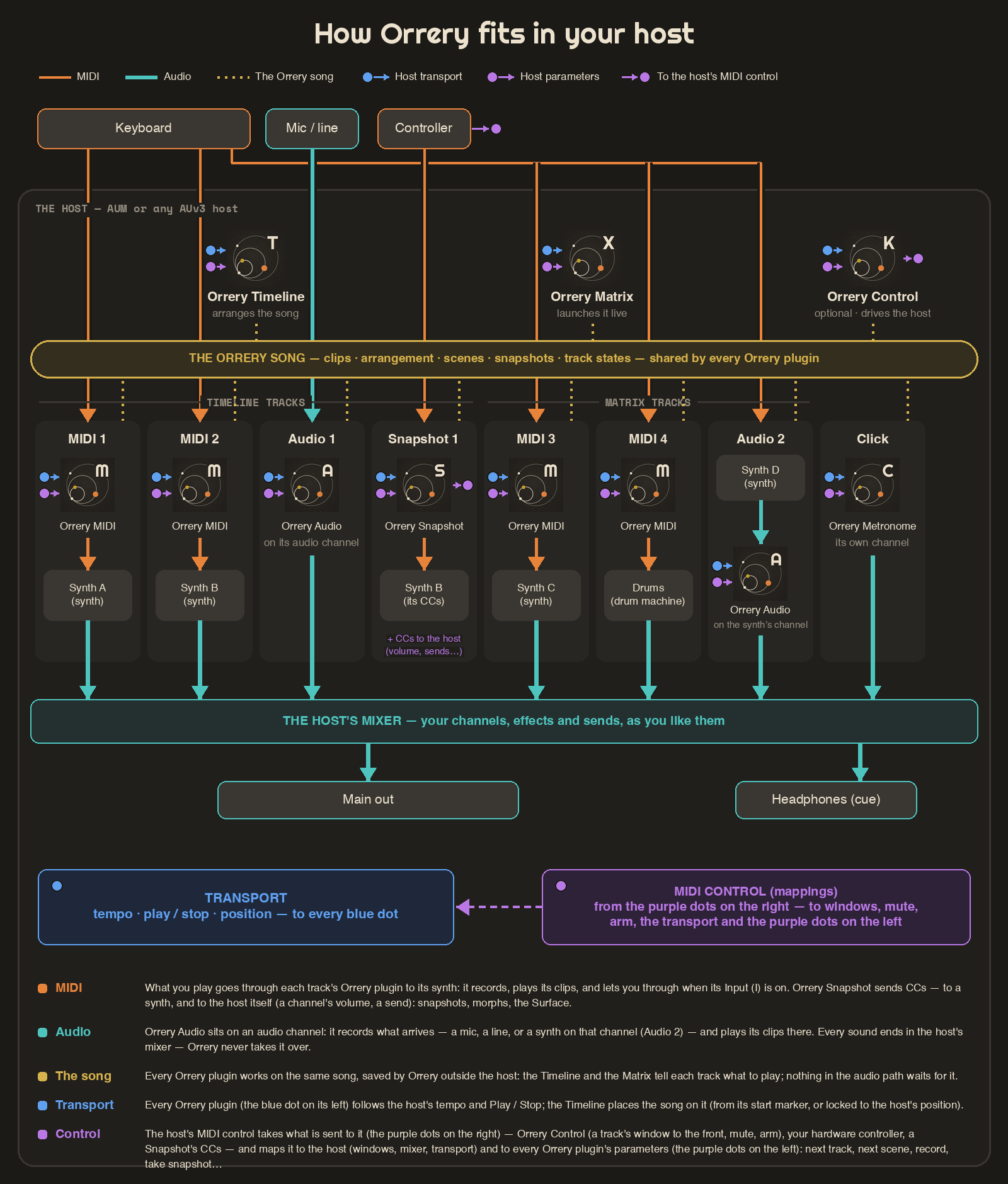
No setup to speak of: load an Orrery plugin in your host and it joins the song — Orrery MIDI in front of a synth becomes a MIDI track, Orrery Audio on a channel becomes an audio track, ready to record. The Timeline lists anything still missing, in the order to load it.
Arrange
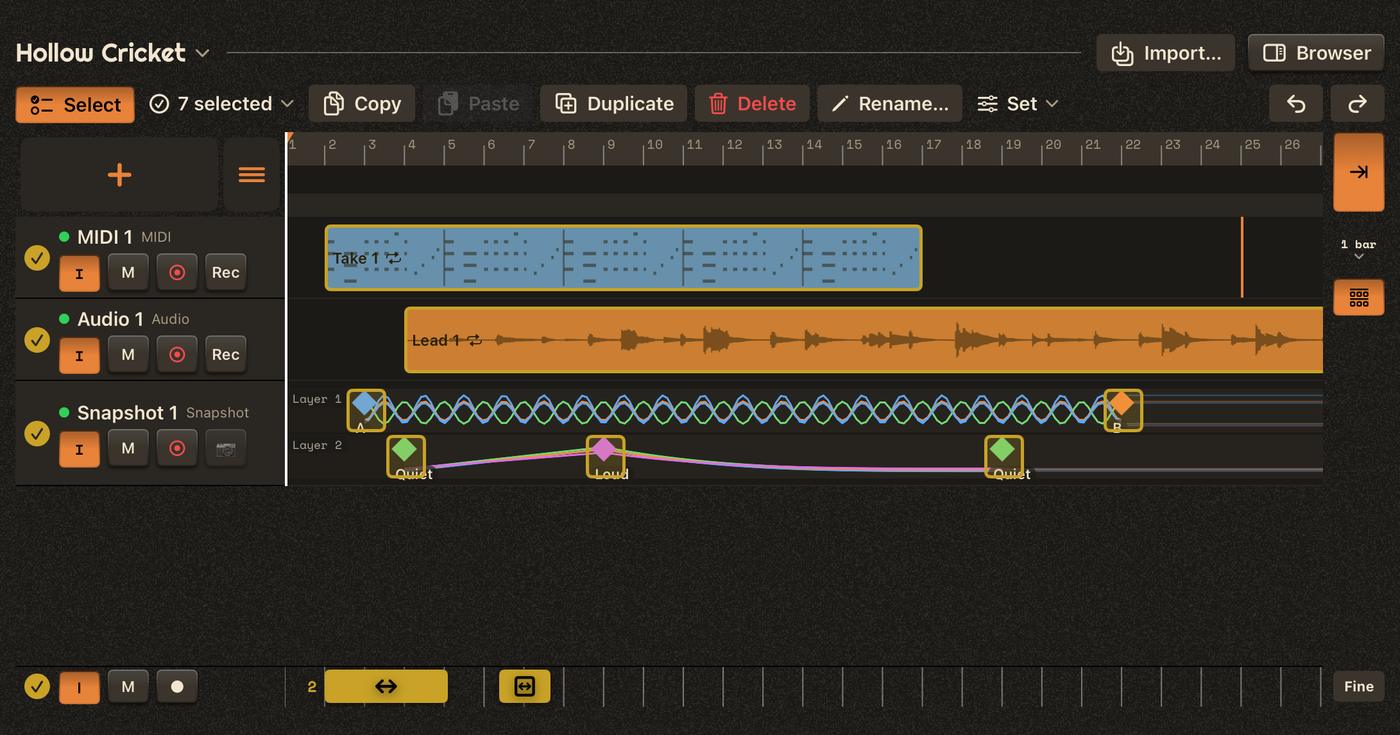
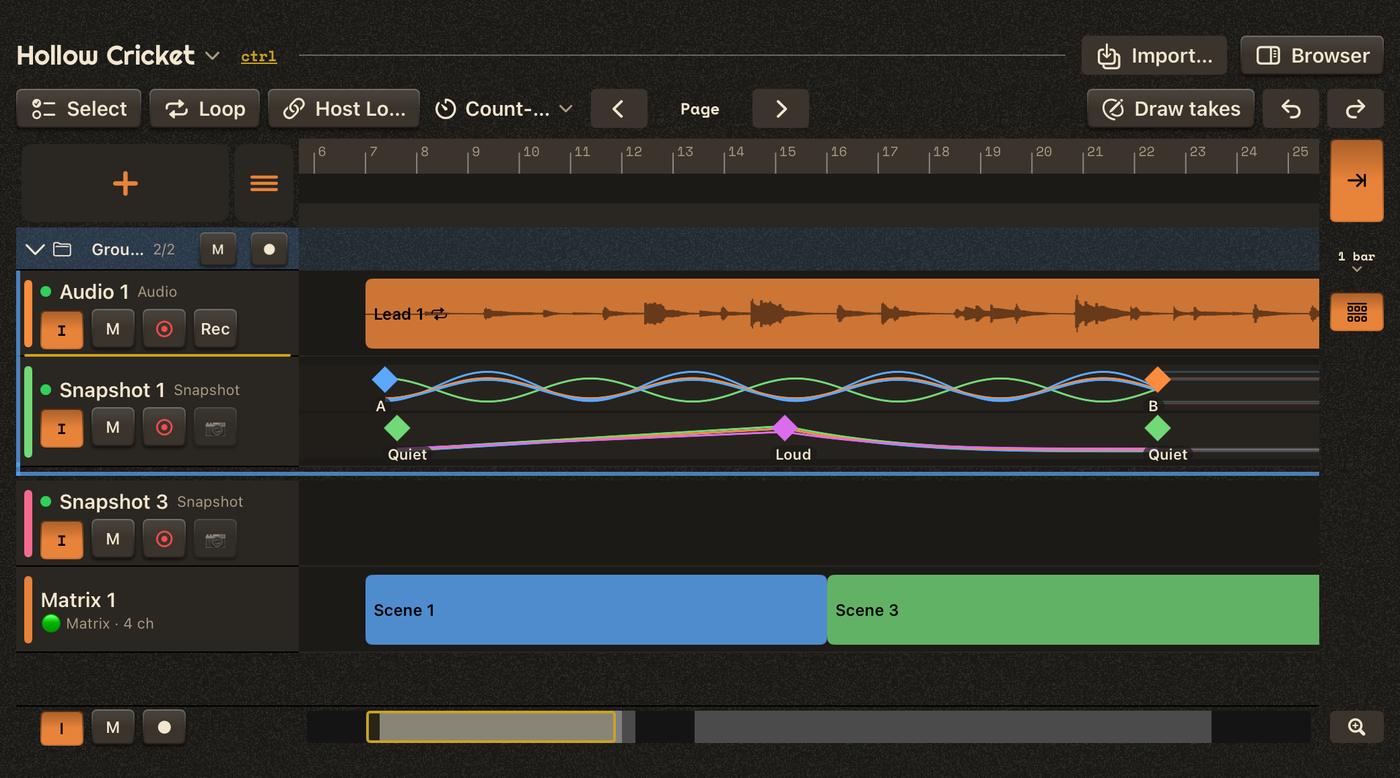
The Timeline holds the whole song: clips placed on lanes, loops, markers, groups and exclusive groups, planned recordings with a count-in, and a print to audio when a synth part is done. Select a verse and move it, stretch it or duplicate it; snapshots of your synths' controls morph along with it.
Perform
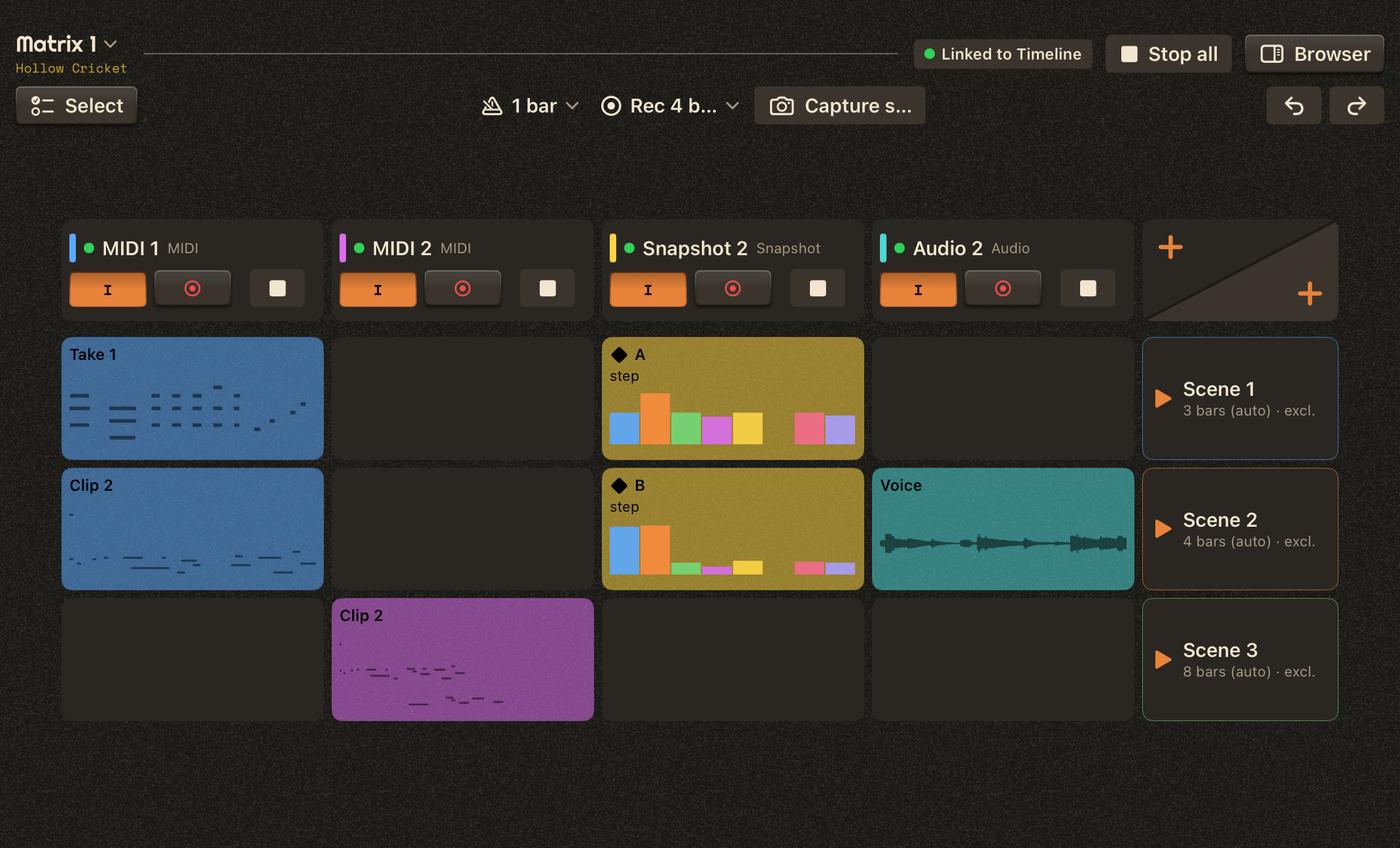
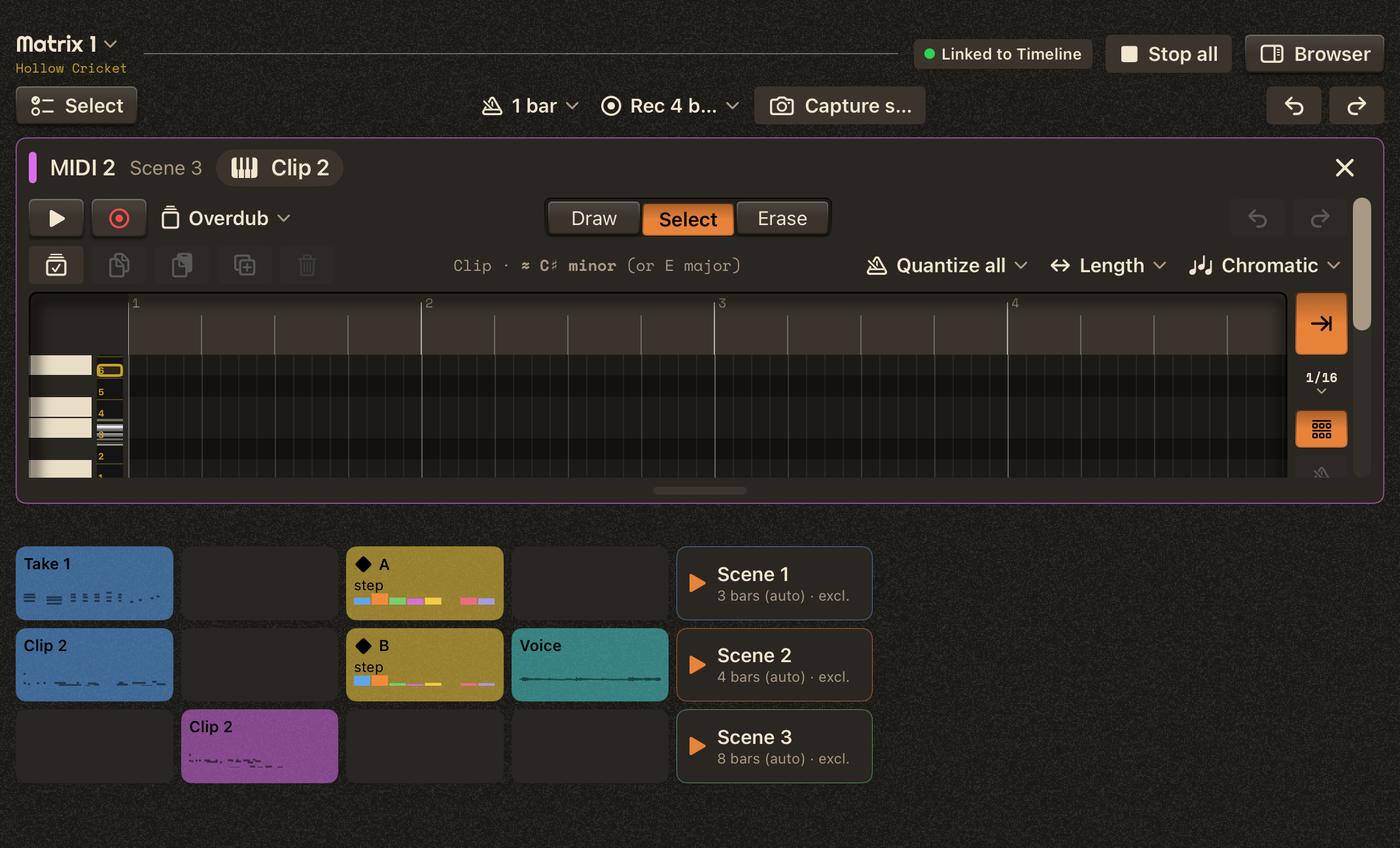
The Matrix launches clips and scenes live — quantized, recorded straight into cells, layered by overdub. Under a Timeline it follows the arrangement until you take over; on its own it is the conductor.
Record and edit
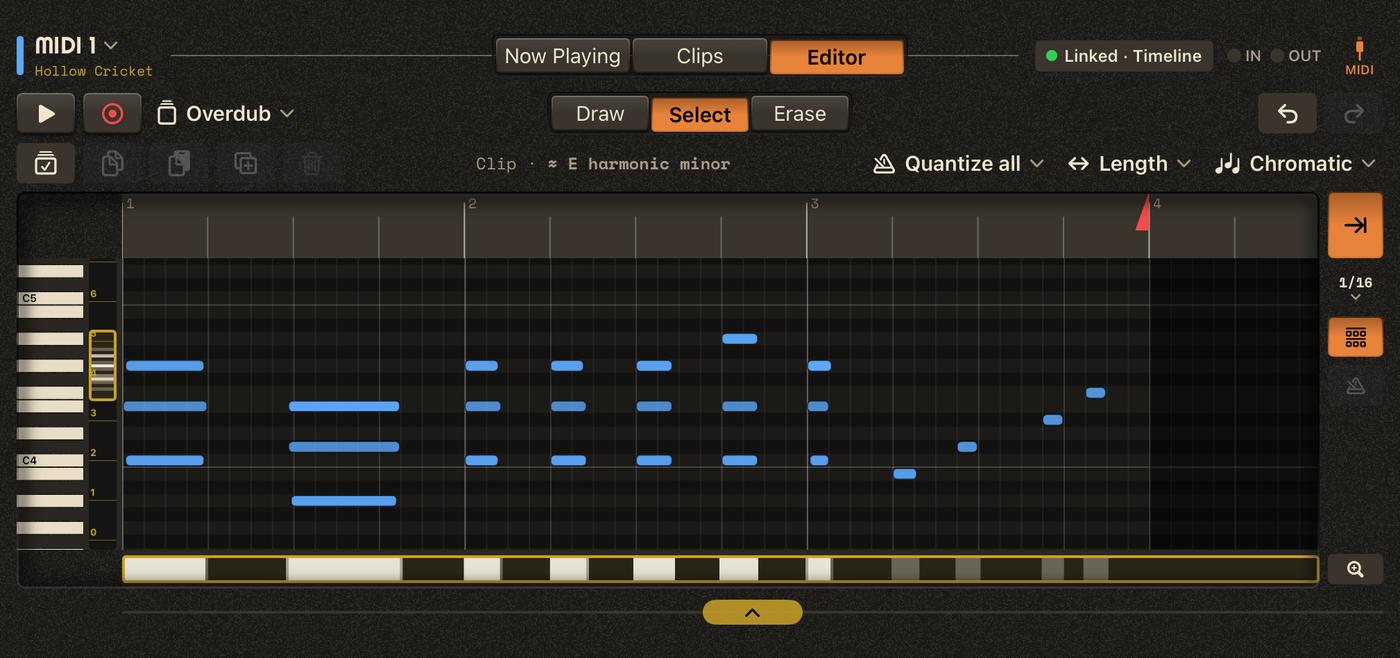
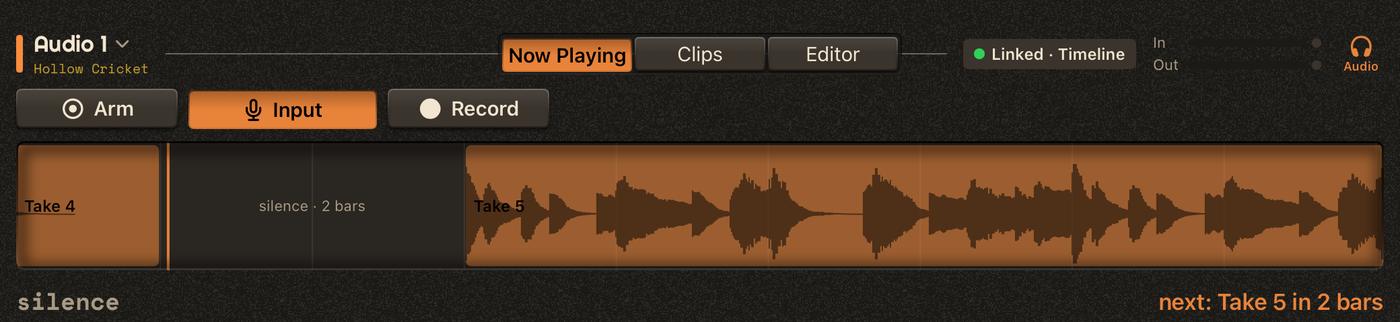
Orrery MIDI records and plays MIDI clips into any synth, with a piano roll made for fingers: handles, strips, navigators, quantize, scales and drum maps. Orrery Audio records and plays audio from disk, with trims, fades and gain that never touch the recording.
Shape the sound
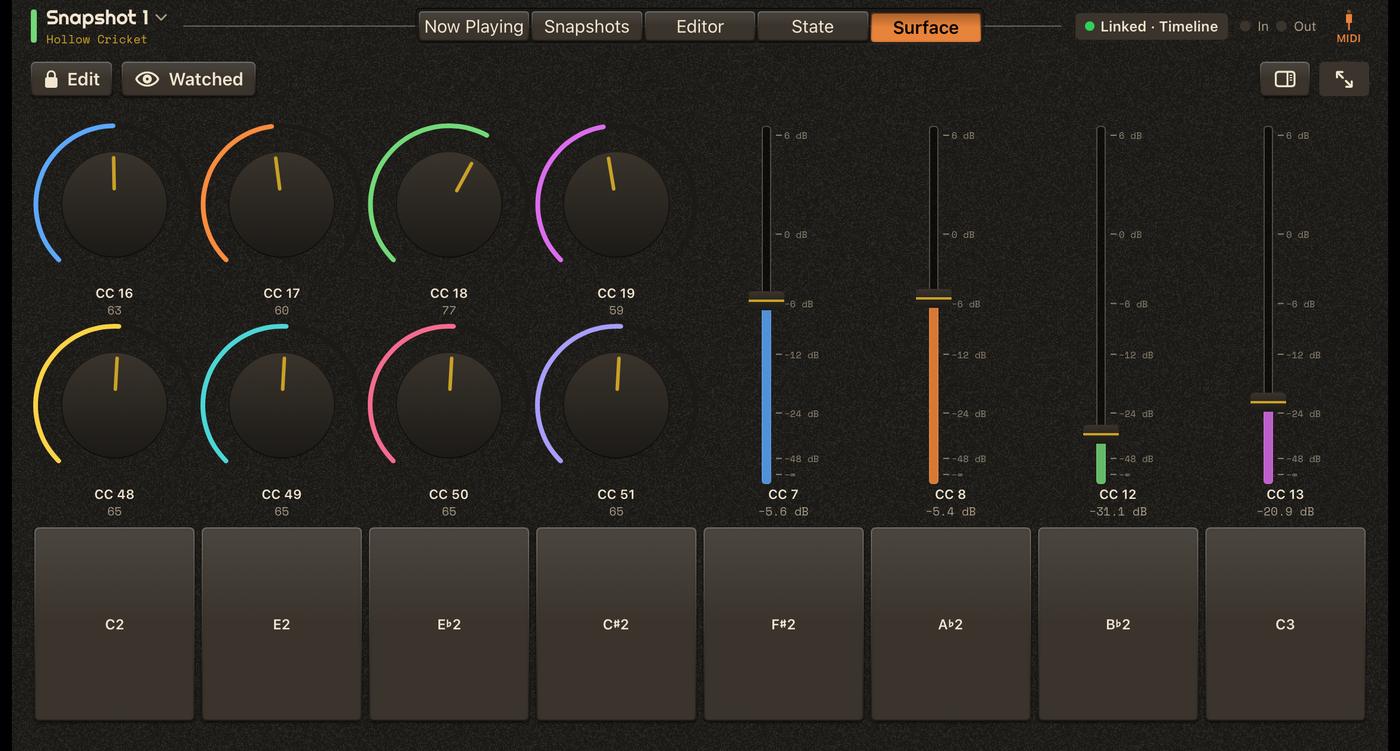
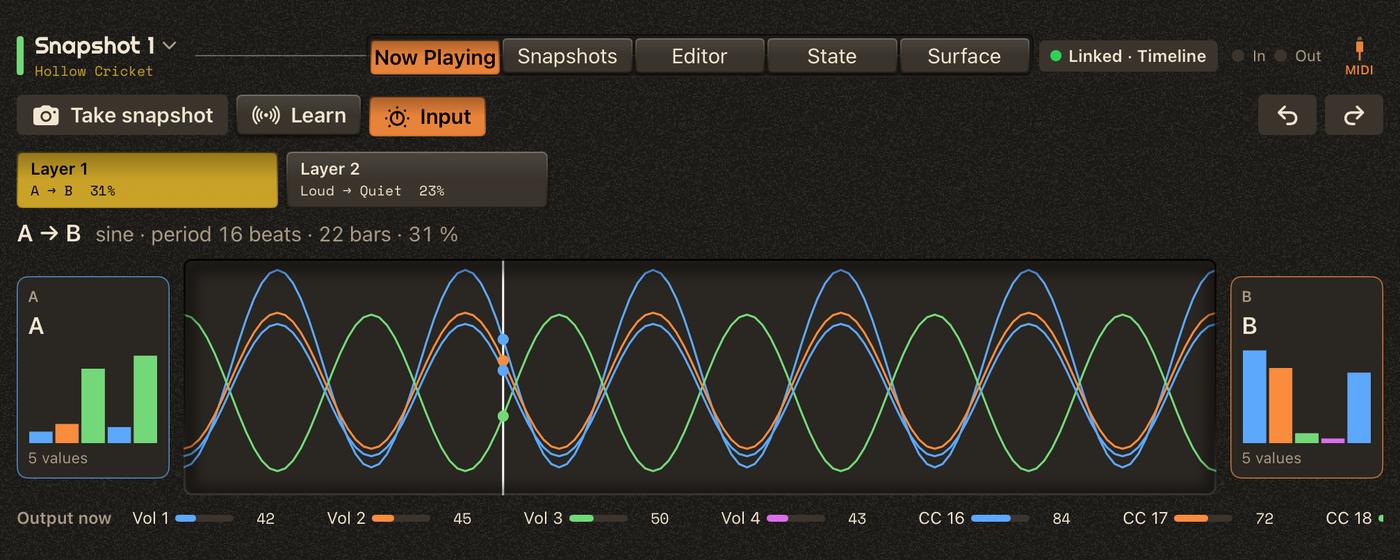
Orrery Snapshot watches your controller's CCs, stores their states as snapshots and morphs between them — step, glide or oscillation, per layer — placed on the Timeline or launched from the Matrix. Its Surface is an on-screen controller you lay out yourself — the controller you don't have with you, or a copy of the one on your studio desk, for sessions on the go.
Drive your host
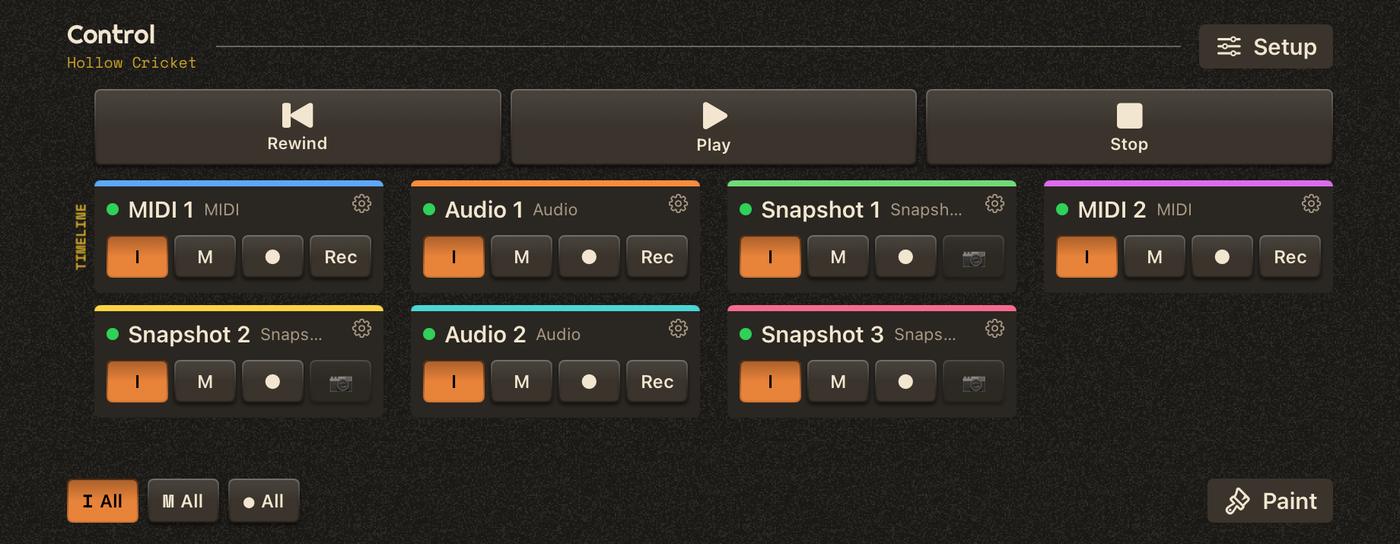
Orrery Control, optional, turns the session into an instrument: bring a track's synth window to the front, mute and arm from one overview, step through tracks and scenes from a foot switch — and generate the MIDI maps for AUM.
Your songs
Songs keep versions and recovery points, a Trash, and a clean-up of unused recordings. Export a song as a zip, import it on another iPad, or bring tracks, Matrices and bars from one song into another — as a copy or a live reference. Templates start new songs from your favourite setup.
Requires
iPad with iPadOS 17 or later, and an AUv3 host: AUM, or any host that loads AUv3 MIDI and audio plugins.
Privacy
Orrery collects no data. Your songs stay on your iPad until you export them.
Learn
The full Manual, the same as in the app.